Google Business Profile
Plenty of customers meet your Google Business Profile before they ever see your sign. It is the panel that appears when someone searches your name or looks for somewhere nearby on Maps: hours, phone number, directions, photos and what other people thought of you. Half-finished or out of date, it is the version of your business they judge.
Last updated
Google Business Profile, set up properly
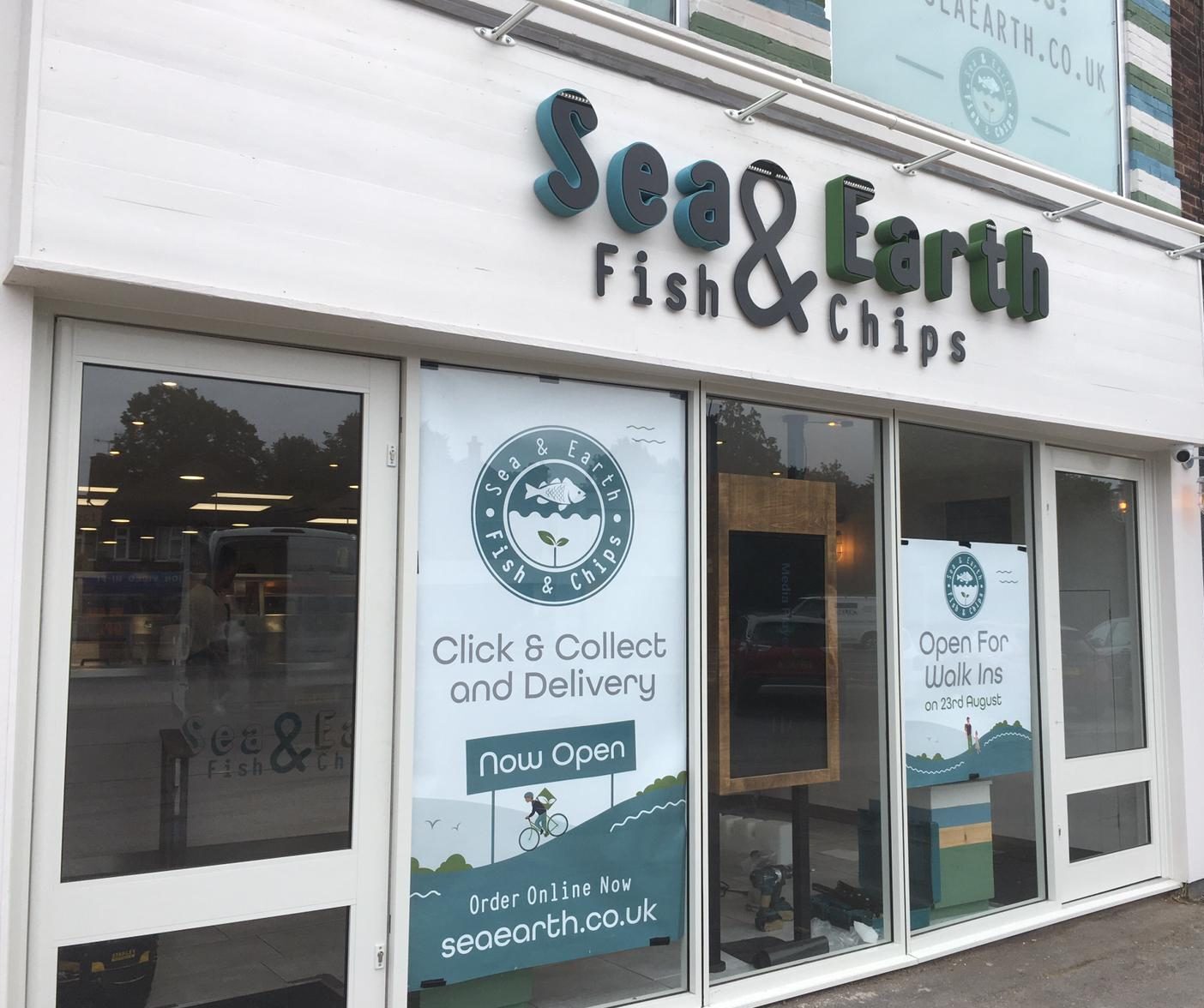
BDigital sets up a new profile, or takes over the one you already have, and gets it through Google verification. We pick the primary and secondary categories, write the description and the services list, enter opening hours with bank holidays covered, and link the profile to your website and online ordering. Then come the photos: the real frontage, the counter, the interior and the food, with the logo and cover image taken from the same brand artwork as your signage. From there the profile is kept current, with posts for offers and events, replies to reviews, answers to customer questions where Google shows them, and hours changed before anyone turns up to a locked door.
- Verified, with the right primary and secondary categories
- Name, address and phone matching your sign and website
- Photos of your actual shopfront, counter and food
- Reviews answered and opening hours kept current
What should you know before ordering a Google Business Profile?
What is a Google Business Profile, and why does it matter?
It is the listing Google shows for your business on Search and Maps, with your hours, phone number, directions, photos and reviews gathered into one panel. For a lot of customers it is the first look they get at you, before the website and before the shopfront. BDigital, the digital side of BD Signs, treats the profile as part of the brand rather than an admin job, because old hours or an empty photo section quietly undo the work your sign is doing.
Why should your Google profile match your sign and website?
So nobody has to wonder whether they have found the right place. Google's own guidelines ask for the business name exactly as it is used on your shopfront, website and stationery, with no extra keywords bolted on. The address and phone number should read the same everywhere as well. BD Signs handles signage, websites and Business Profiles under one roof, so the name, logo and colour scheme someone sees on Maps are the ones waiting for them on the street.
Which parts of a Google Business Profile matter most?
The parts customers act on. The primary category is one of the main ways Google works out what you do, so it has to describe your main trade, with secondary categories covering the rest. Opening hours, bank holidays included, stop wasted journeys. Photos of the real frontage help people recognise you on arrival. Reviews, and the way you answer them, show how you treat customers. BDigital gets those right first, then adds posts and the services list.
How does BD Signs set up a Google Business Profile?
- Step 1
Find what is already out there
We search for you the way a customer would, on Google and on Maps, looking for duplicate listings, an unclaimed profile or one still held by a former owner or agency. Then we get access, or claim the profile and complete verification with you, since Google decides how each business is verified.
- Step 2
Name, categories and details
The business name goes in as it reads on your sign. We set the primary and secondary categories, the address or service area, phone number, website and ordering links, and opening hours with holiday hours, then write the description and the services list.
- Step 3
Photos that match the frontage
Your logo and cover image come from the same brand artwork as your signage and website. Alongside them go photos of the actual shopfront, counter, interior and products, so a customer arriving for the first time recognises the place from across the road.
- Step 4
Looked after, not left alone
A profile drifts out of date if nobody owns the job. We reply to reviews, post offers and news, update hours ahead of bank holidays and swap photos when the menu or the frontage changes, keeping Google in step with the shop.
Does a Google Business Profile replace a website?
No. The two do different jobs, and most businesses need both. The profile is where people check the basics; the website is where they order, book or find out more. This is how BD Signs explains the difference.
| Compare | Google Business Profile | Your own website |
|---|---|---|
| Where people see it | Google Search and Google Maps | Anywhere you link to it, including your profile |
| What it is for | Quick facts: hours, directions, phone number and reviews | The full picture: menu, ordering, booking and your story |
| Who sets the layout | Google, and it changes from time to time | You and your designer |
| Reviews | Shown publicly, with your replies underneath | Only the ones you choose to display |
| Orders and bookings | Links out to your ordering or booking page | Takes the order or booking itself |
| Before it goes live | Verification by Google | A domain and hosting |
What rules apply to a Google Business Profile?
Google sets the rules in its guidelines for representing your business. The name must be your real-world name, as used on your shopfront, website and stationery, so adding keywords or a town to it breaks the guidelines. Profiles are for businesses that deal with customers in person, and a business that visits customers instead of receiving them at its own address should show a service area rather than a street address.
Reviews have rules of their own. Google's Maps content policy does not allow a business to offer payment, discounts or free goods in exchange for a review, or for taking a bad one down. Asking customers for an honest review, with nothing offered in return, is fine.
UK law covers reviews too. Under the Digital Markets, Competition and Consumers Act 2024, fake reviews and incentivised reviews that are not disclosed became banned practices in April 2025, and the Competition and Markets Authority has published guidance for businesses. Talk to BD Signs about how you plan to ask for reviews before you start.
What do people ask about a Google Business Profile?
Can you get my business to the top of Google Maps?
Nobody can promise that, and anyone who does is guessing. Google decides the order of local results itself, mainly on how relevant a business is to the search, how far it is from the person searching and how well known it is. Distance is out of everyone's hands. BDigital works on the parts you can control: a verified, complete and accurate profile, the right categories, real photos, reviews with replies, and a website that agrees with all of it.
Should I reply to every Google review?
It is a good habit, and the poor reviews matter most. A short thank-you to a happy customer takes a minute. A calm, specific reply to a complaint is read by everyone who looks you up afterwards, not only by the person who wrote it. What you must not do is pay or reward people for reviews, because Google removes incentivised reviews and UK consumer law bans fake ones. When BDigital looks after your profile, replies go out in your own voice.
Who should own my Google Business Profile?
You should. The profile belongs to the business, so the primary owner ought to be you or someone in the business, not whoever happened to set it up. Anybody who manages it for you, BDigital included, can be added as a manager and removed again later. This matters when an agency closes or a member of staff leaves, because getting back into a profile nobody can log in to is hard work. Changing key details such as the name or address may also mean Google asks you to verify again.
The rest of the system
“Used BD Signs Design and Print services to design a new logo for my company and to design and print some large labels to use on my jobs. Professional service from start to finish. Highly recommended.”
“Excellent service as always. Friendly staff. Highly recommend.”
Does your Google profile match your shopfront?
Send us your business name and we will look at your profile the way a customer sees it, then tell you what we would change.
Or email info@bdsigns.co.uk — we answer everything the same working day.